Android development has long been a balancing act of precision resource management and a relentless war against memory leaks. As modern mobile applications grow increasingly complex, tracking down elusive bugs has evolved into an arduous task, often necessitating exhaustive dump analysis. The launch of the stable release of Android Studio Quail 2 signals a paradigm shift toward deep diagnostic automation. The IDE now steps into the role of an intelligent analyst, seamlessly integrating traditional profiling with the power of generative AI.
Among the most pivotal enhancements in the latest release is the full integration of LeakCanary—the industry standard for memory leak detection. Previously, this tool operated primarily on the test device, imposing additional system overhead and throttling the analysis process. With Quail 2, Google has offloaded the primary computational workload to the developer's machine, exponentially accelerating diagnostics. Preliminary estimates suggest that identifying leak sources is now five times faster.
The technical execution transforms routine analysis into an interactive experience. The profiler constructs a clear visualization of the object retention chain, allowing developers to pinpoint exactly which component is preventing the Garbage Collector from reclaiming memory. Developers can now see the precise volume of leaked resources and jump instantly to the specific line of code triggering the issue.
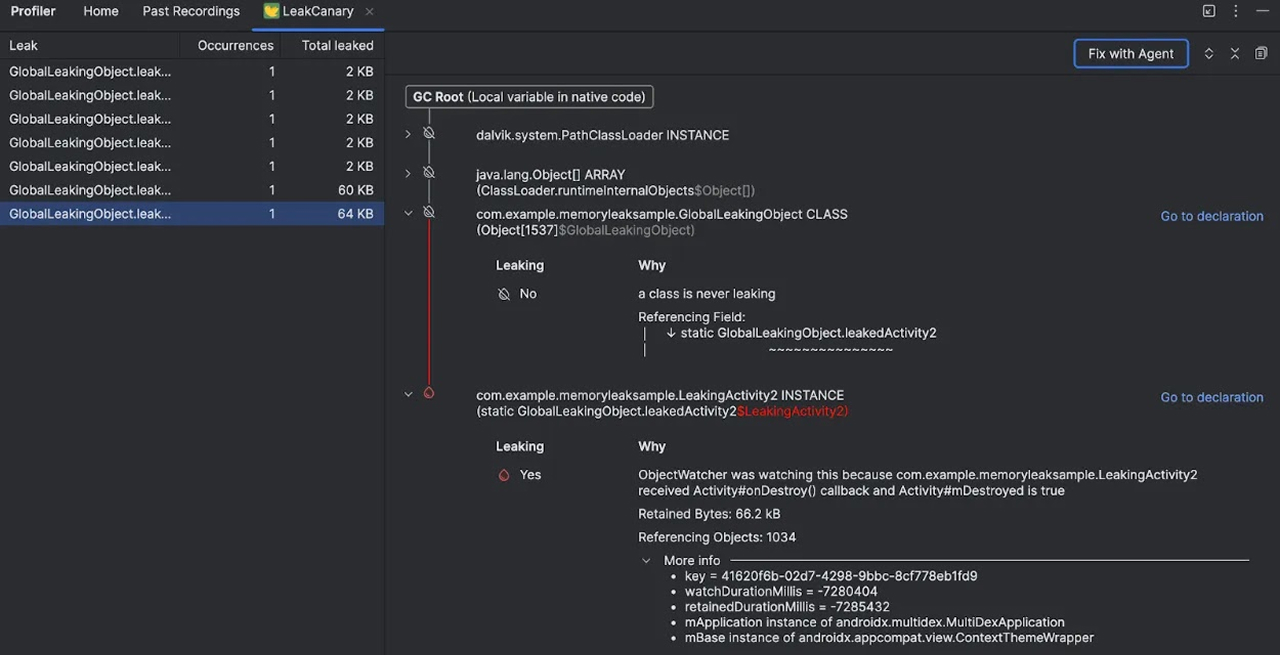
The toolkit has been further enhanced with deep AI integration via the "Fix with Agent" feature. Rather than simply flagging an error, the AI agent analyzes the entire dependency chain, explains the root cause of the leak, and proposes a concrete code fix. A similar approach has been implemented in the App Quality Insights panel. By synthesizing data from Firebase Crashlytics and Android Vitals, the development environment creates a seamless feedback loop—from detecting a crash on a real-world user's device to generating a patch directly within the IDE.
Simultaneously, Agent Mode has undergone a qualitative transformation. Moving beyond a single linear chat, developers now have access to multi-threaded workflows with multiple AI agents. This enables strict context separation: one session can handle UI refactoring, another can optimize complex ProGuard obfuscation rules, and a third can generate technical documentation.
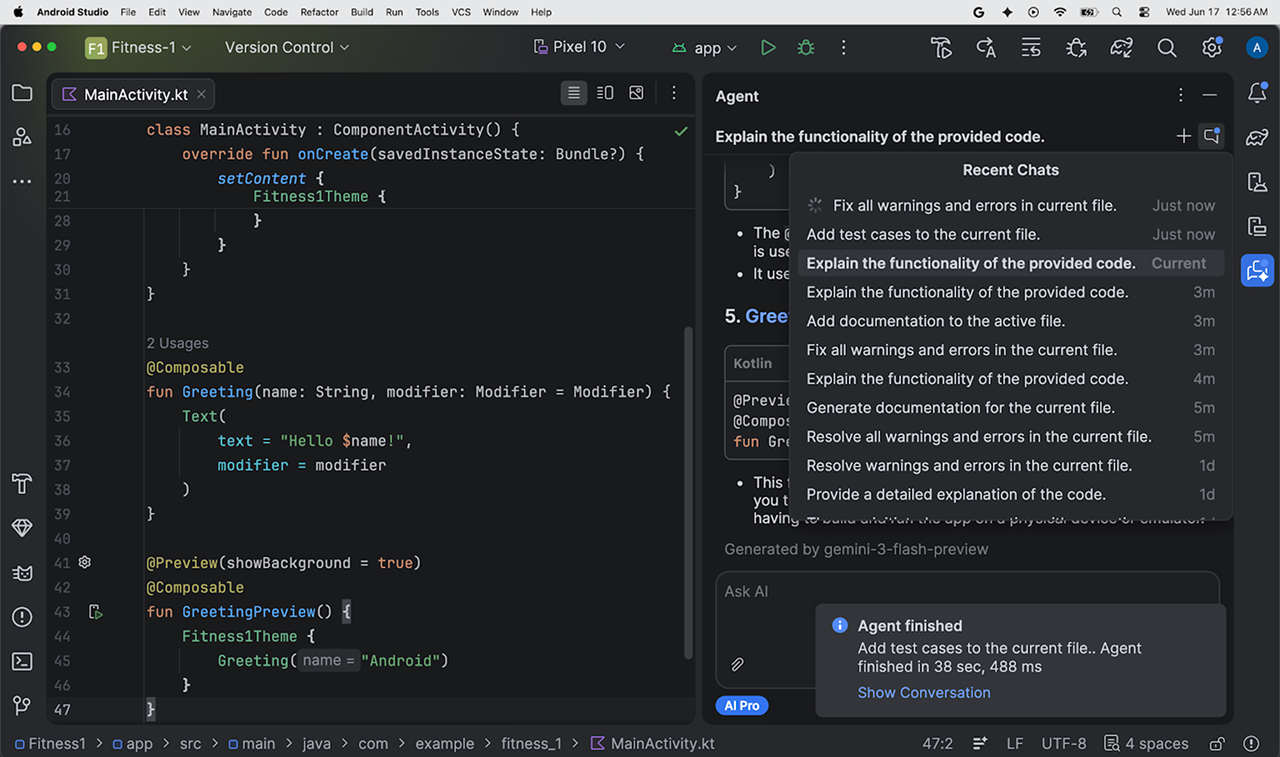
System flexibility is ensured by the ability to select specific language models for each task—a critical capability when switching between low-level optimization and copywriting. Management of these streams is handled via chat history, evolving the interaction with the neural network into a full-fledged multitasking workflow where each agent operates within its own isolated context, ensuring that UI requirements never bleed into application build logic.

 Qualcomm’s New Standard for Mobile Performance