Hardware status indicators are often a source of undue stress for users, particularly when software parameters diverge from actual physical limits. In the case of the Steam Machine, this misalignment gave rise to the "red strip of death"—a phenomenon where critical overheating was signaled despite no actual thermal crisis. Valve eventually had to intervene at the BIOS level to eliminate these false positives. This scenario illustrates the razor-thin margin between genuine hardware degradation and simple calibration errors in diagnostic software.
In the realm of small-form-factor gaming systems, precision in thermal monitoring is paramount, as constrained chassis volumes impose rigorous cooling requirements. For Steam Machine users, a particular anxiety emerged around the so-called "Red Line of Death"—an LED indicator that, under certain scenarios, would fill completely, creating the illusion of imminent hardware failure. Early adopters began reporting these incidents in early July, with many interpreting the signal as a definitive GPU failure.
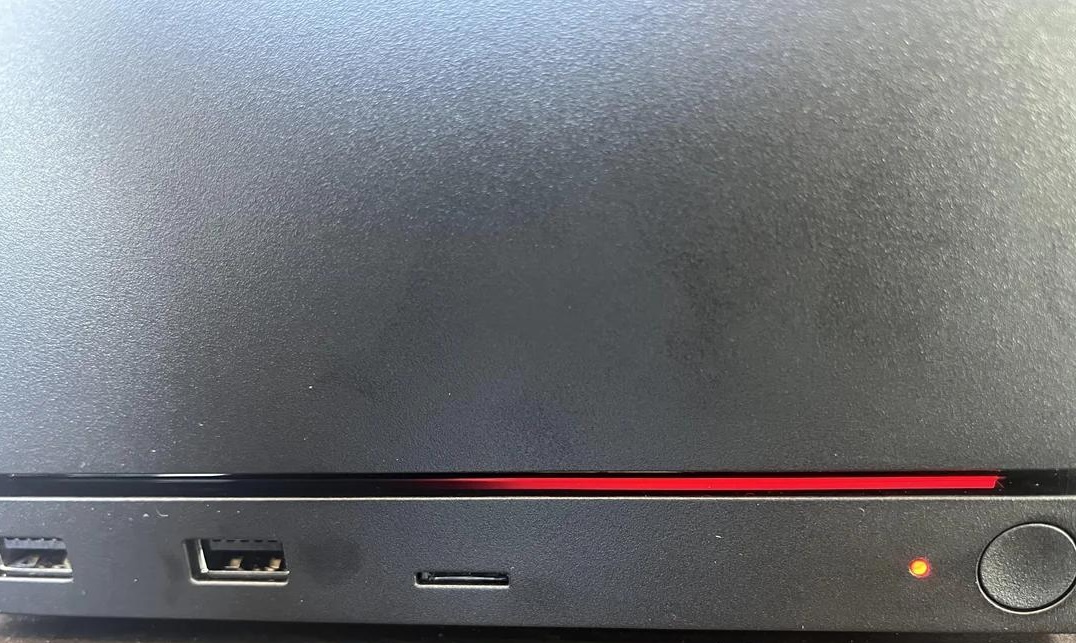
However, a detailed post-mortem revealed that the panic was driven not by component degradation, but by an incorrectly calibrated trigger threshold within the BIOS. After analyzing user data, Valve engineers concluded that the red LED was activating well before any actual threat to the hardware materialized. In reality, CPU and GPU temperatures remained within acceptable operating parameters, despite the alarming visual cue.
The Steam Machine's protective architecture follows a classic multi-stage response strategy. Only upon hitting the 100°C mark does the system initiate aggressive clock speed reductions (throttling) for both the CPU and GPU to mitigate overheating. Should temperatures continue to climb beyond this critical threshold, an emergency power-off mechanism triggers to protect the silicon from irreversible damage.
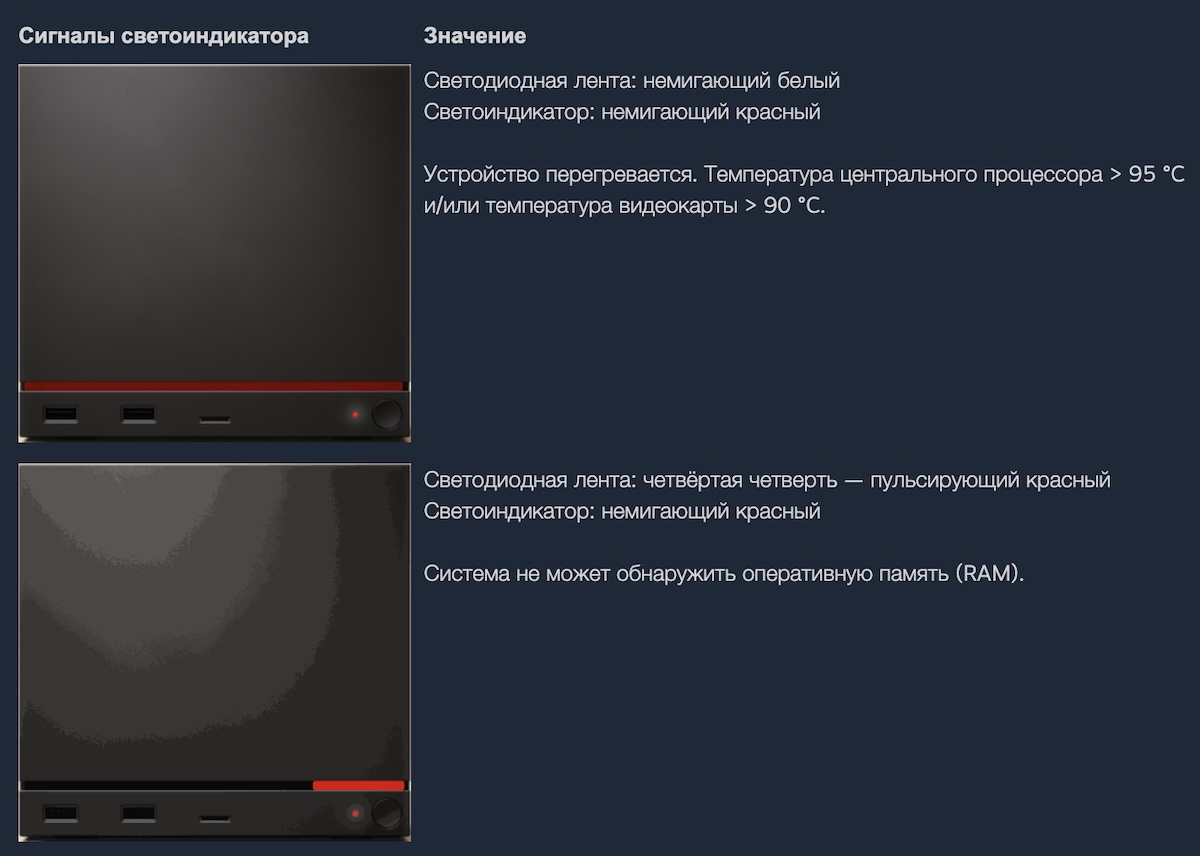
The crux of the issue lay in the fact that the visual "death" warning was tuned to overly conservative values: 90°C for the GPU and 95°C for the CPU. Consequently, users were alerted to a critical failure long before the system actually began managing the heat or initiated a shutdown.
To resolve this discrepancy, Valve is preparing a BIOS update designed to synchronize visual indicators with actual thermal limits. Once patched, the "Red Line of Death" will trigger strictly at 100°C for both processors. This adjustment will eliminate false positives, reserving the indicator exclusively for genuine critical thermal events.
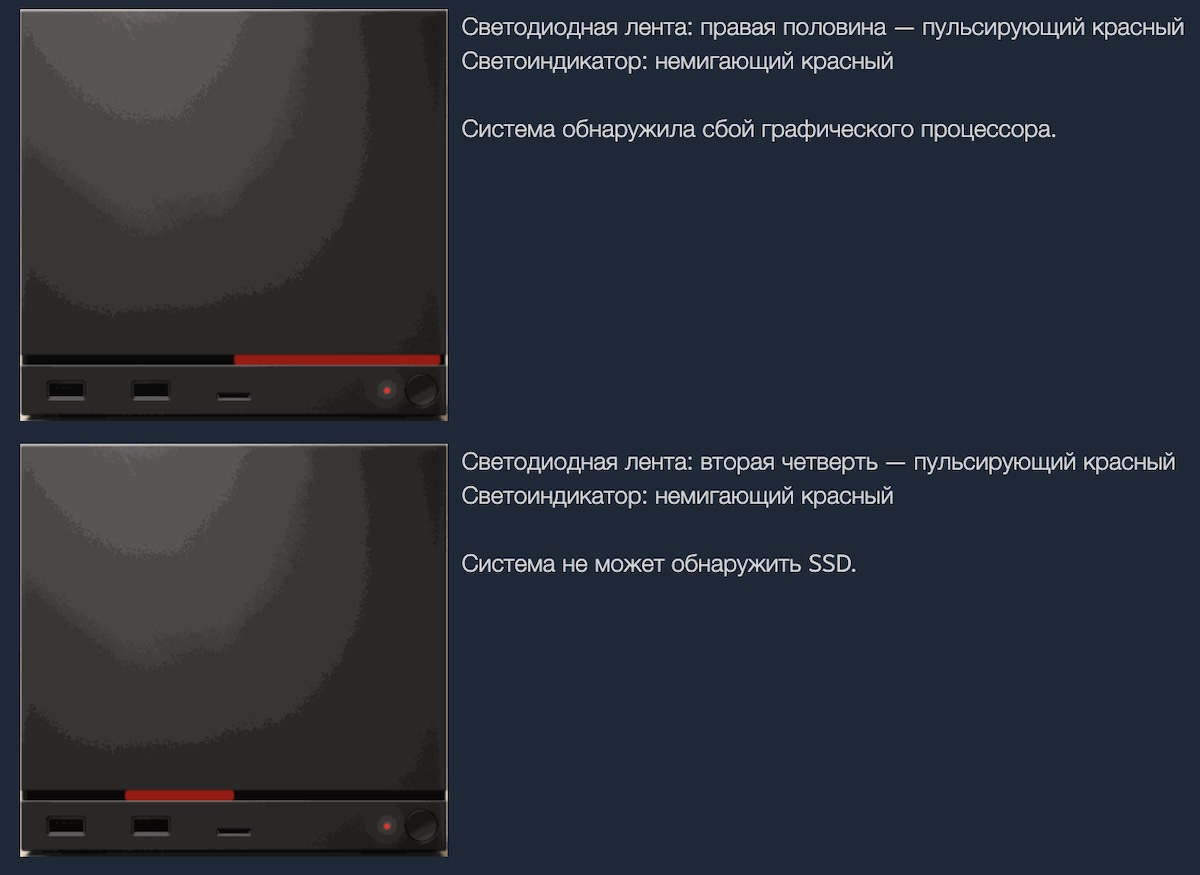
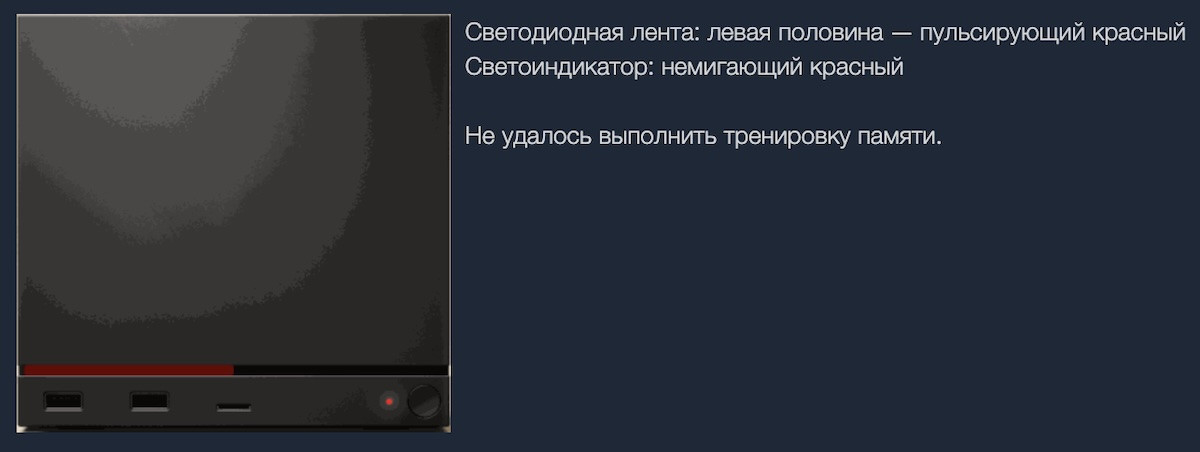
This case underscores the critical importance of properly calibrated diagnostic tools. When a user interface signals a catastrophe that isn't actually occurring, consumer confidence erodes—even if the hardware is performing flawlessly. Valve’s official support documentation has since been expanded to provide a more nuanced explanation of indicator states, helping owners distinguish between software anomalies and genuine hardware failures.

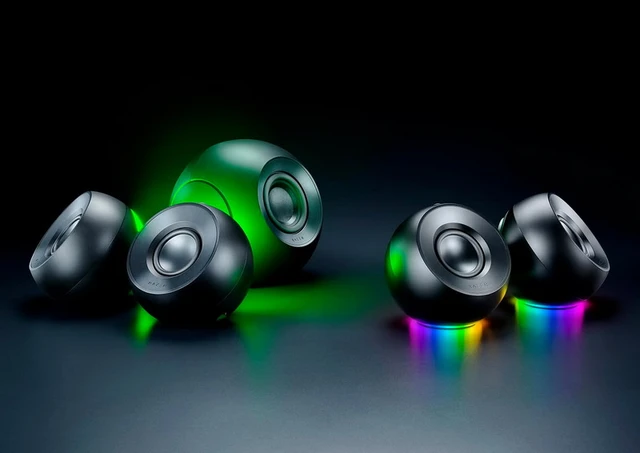 Razer Mako and Mako X Audio Systems